








Skip to content

Make your BIM & engineering data work for your business

Build on a proven BIM viewer, data processing and integration.

xeoVision combines xeokit SDK & Data Engine, reusable solution components, and our integration expertise to turn IFC, Revit and other engineering data into practical business workflows — in an environment you control.

Try the xeoVision application.

Explore a working application built with the framework.

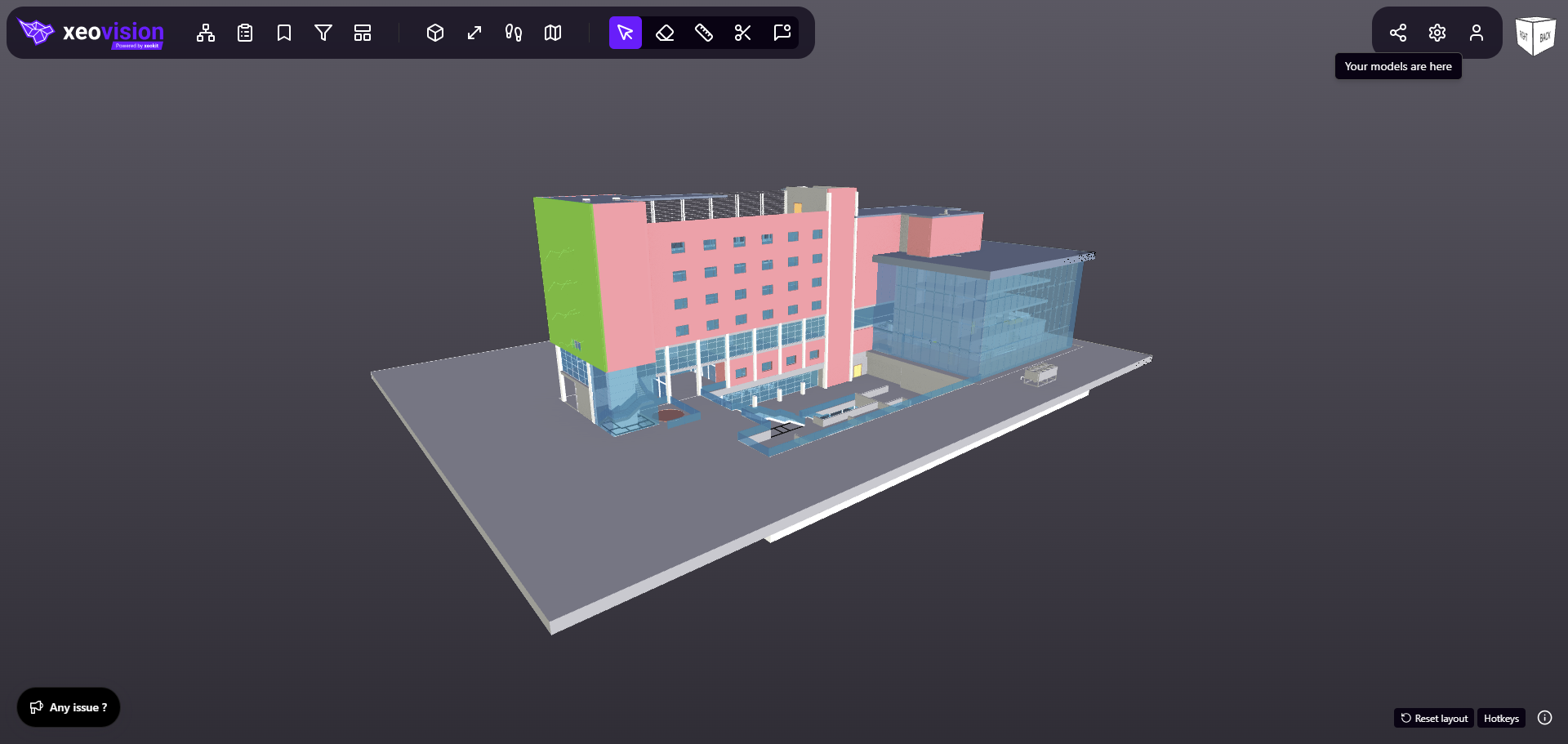
A building model open in xeoVision, with the navigation toolbar and view cube.

Choose a model to evaluate

IFC, Revit, STEP, point clouds and more

Open xeoVision ↗

Sovereign solutions for critical infrastructure secure BIM, VDC, digital twin and asset management

What can I do with xeoVision? Viewing · IFC conversion · Revit data

A practical starting point

Explore a model

Navigate geometry, objects and properties with xeokit SDK.

Bring your IFC data

Evaluate IFC conversion, geometry and information with CxConverter and the integrated processing workflow.

Try Revit files

Explore xeoRVT processing through xeokit Data Engine with a representative RVT or RFA file.

The IFC card opens a specific sample project. The other cards open the application rather than a preselected model. Performance depends on your file, device, network and deployment. Use non-sensitive test data in the public application; discuss a controlled evaluation for confidential projects.

Proven technology.
Used across the industry.

xeokit SDK, the visualization technology powering xeoVision, is used by organizations including:

The underlying technology serves commercial AEC software, public infrastructure platforms, engineering firms and universities across Europe, the Americas, Asia and Australia.

Read the success stories ↗
01Proven technology

Visualization and open engineering data.

02Ready-made foundations

A working application and reusable workflows.

03Advice & integration

Expertise to select, adapt and connect.

04Your business solution

Shaped around your users and goals.

What could your business make possible?

Give teams a shared project view, connect critical infrastructure assets to operations, or bring BIM into your own product. Start with a working foundation and shape it around the outcome you need.

Critical infrastructure · Security & defense

BIM & VDC for critical assets.
Your data. Your environment.

Assess proposed works, align project teams and prepare for long-term asset ownership. Connect BIM and VDC workflows for airports, power stations, defense and military assets, and data centers — with sensitive project information under your control.

Explore BIM & VDC for critical infrastructure
  • Your BIM & VDC workflowsBring models, disciplines and delivery teams into a shared project context.
  • Your deployment boundaryBring storage and processing into your own infrastructure.
  • Our advice & integrationDefine the components, connections and access requirements together.

You bring the business vision.
We help make it work.

You do not need to arrive with a technology plan. We help turn your priorities into a practical path forward, working with your team and your partners.

Our advice & integration services →
  1. 01

    Define the outcome

    Start with the business challenge, the people you serve and the decisions or workflows you want to improve.

  2. 02

    Build on what is ready

    Choose the application foundations, workflows and data technologies that fit your goal.

  3. 03

    Adapt & connect

    Shape the experience around your users and connect it to the systems your business already runs on.

  4. 04

    Deploy & evolve

    Plan the environment, rollout and ongoing responsibilities, with room to grow your solution.

Business leadersA clear path from investment to a useful solution.

Product teamsMore focus on your users and differentiating workflows.

Solution partnersA reusable foundation and technical expertise alongside your domain knowledge.

From a model object
to an asset decision.

Give model information a useful place in daily operations. Connect an equipment identifier to its asset record, then bring maintenance information into the same context.

Explore a working example of that connection. See matched records, missing identifiers and the data behind each result.

Explore the worked example
01 · MODEL CONTEXT

An object in your BIM model

Geometry, properties and an equipment identifier.

02 · A SHARED IDENTIFIER

Connect the right records

Match the equipment tag. Surface gaps for review.

03 · BUSINESS CONTEXT

An informed next action

See the asset record and its maintenance information.

A familiar foundation.
An experience of your own.

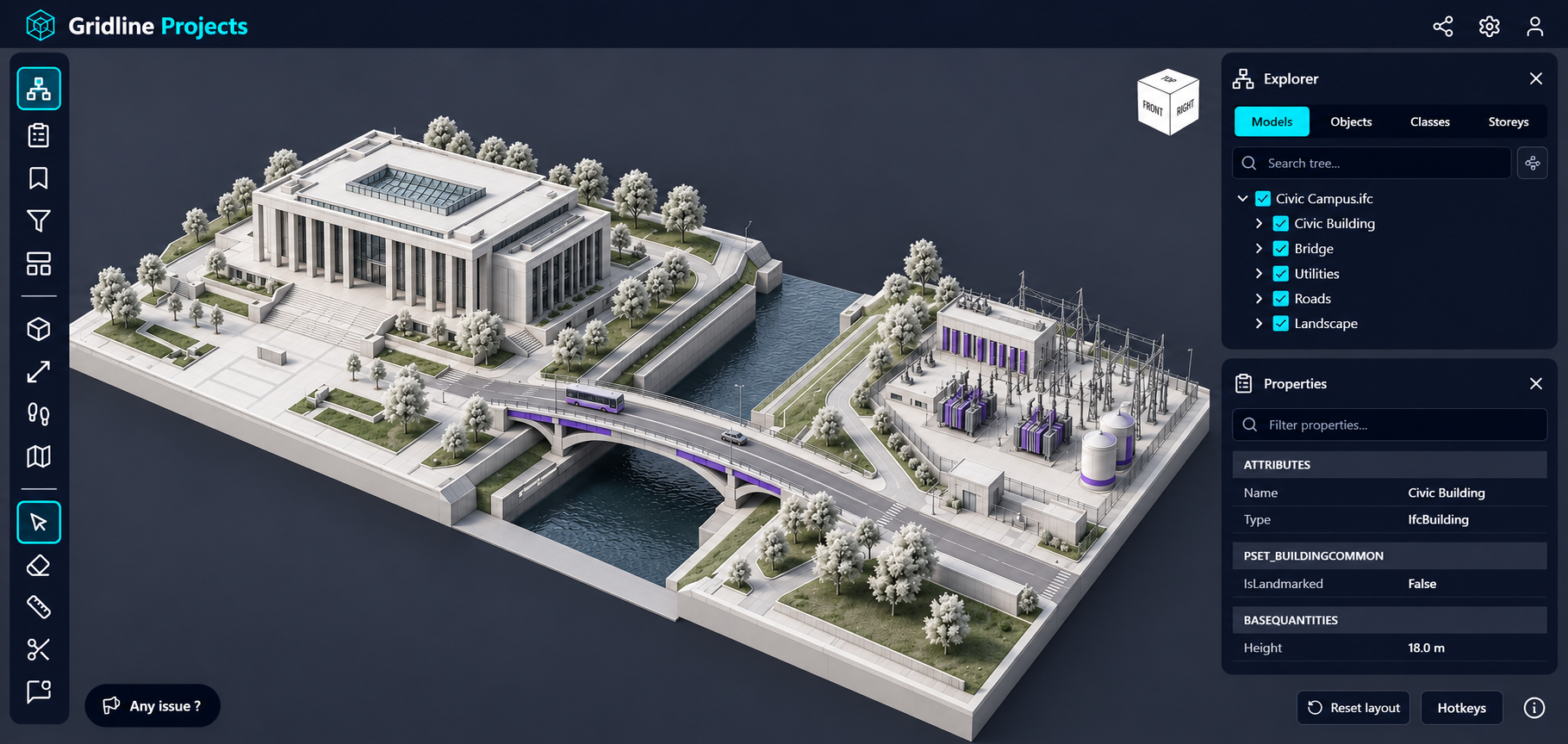
Keep the proven viewer functions. Shape the ribbon, panels, colours and workflows around the people who use your solution.

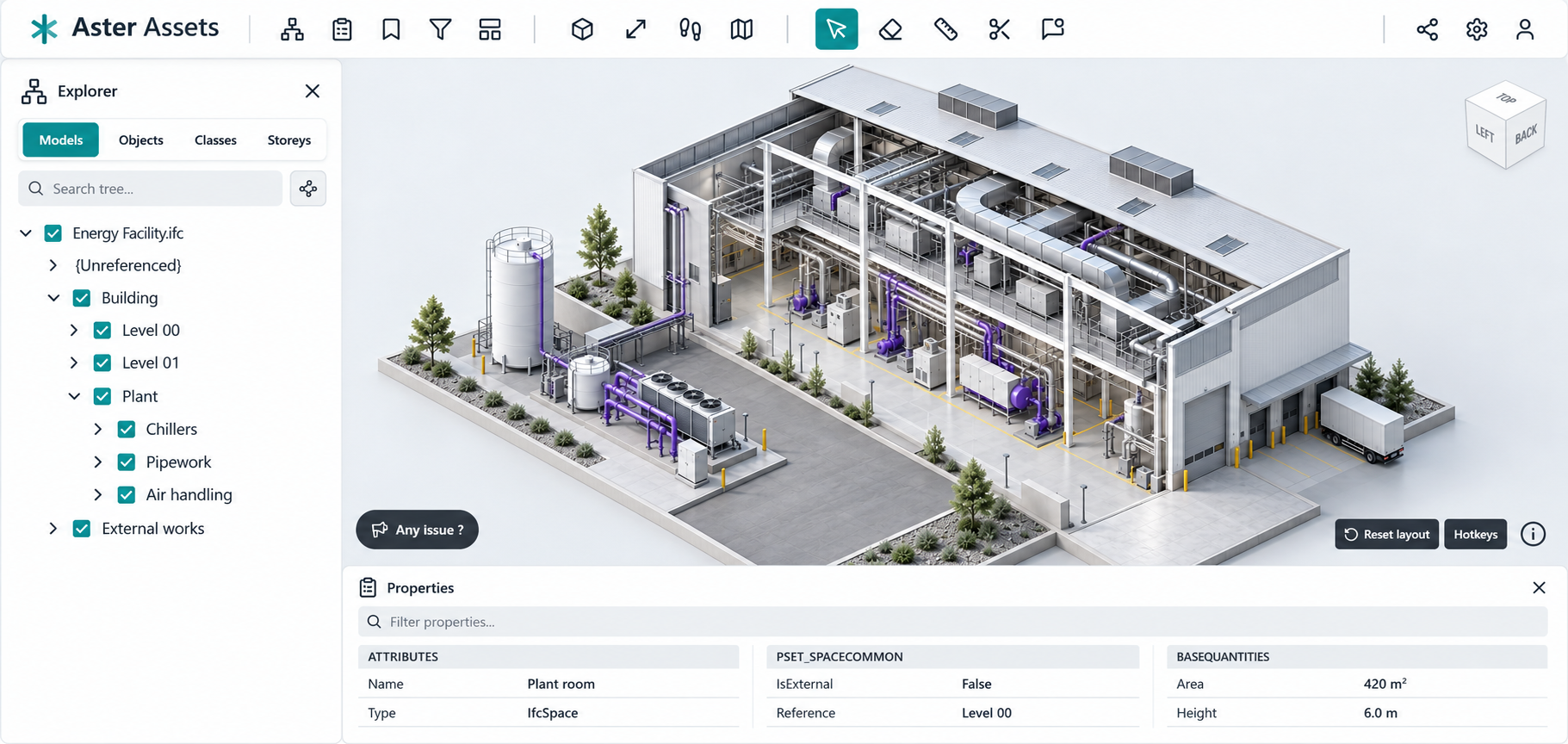
Illustrative Aster Assets workspace with a light interface, side Explorer and model properties below an energy-facility model.

Make the model an asset workspace.

Keep the object tree and properties close to the equipment being reviewed. Arrange familiar viewer tools around an asset-focused workflow.

Explore branding and platform capabilities →

More than a model on screen.

Explore the workflows you can start using today — and bring into your own solution.

All seven workflows

Open data is what makes the AI workflows possible — even from closed formats.

An agent is only as useful as the data it can reach, and most BIM data starts out locked in vendor formats. The xeokit Data Engine uses xeoRVT and xeoNWD to read Autodesk Revit and Navisworks files directly, and writes what it finds as JSON, GLB and XKT. Your project information comes out in formats your own systems and your own approved agent can read, with no closed pipeline in between.

One framework.
All the pieces working together.

xeoVision builds on xeokit SDK and xeokit Data Engine, adding an application foundation and the expertise to turn them into your business solution.

Your business solutionYour users · Your workflows · Your brand
Reusable application foundations

Projects & files · Model review · Data workflows · Sharing · Custom interfaces

xeokit SDK

Interactive 3D visualization, model navigation and properties in the browser.

Explore xeokit SDK ↗

xeokit Data Engine

Engineering-file processing, web-ready geometry and accessible model data.

Explore xeokit Data Engine ↗

xeokit SDK is the visualization technology at the heart of xeoVision. SDK licensing, xeokit Data Engine components, application source-code delivery and service scope are agreed for your solution.

Explore the complete framework →

Considering Autodesk
Platform Services?

An alternative for BIM workflows, with processing and project data in your environment.

Explore how the xeoVision framework compares with Autodesk Platform Services (APS), formerly Autodesk Forge, for IFC and Revit RVT/RFA viewing and data workflows. Compare deployment, reusable outputs and the path to a working business solution.

Compare xeoVision and APS

Choose where the whole workflow runs.

  1. 01
    Process IFC, RVT & RFA files

    Run the required xeokit Data Engine processors inside your environment.

  2. 02
    Keep your project data there

    Your server, your data centre or a cloud region you select.

  3. 03
    Bring your solution into use

    Build on xeokit SDK, application foundations and our integration services.

Deployment is scoped to your infrastructure, supported runtimes and licensing requirements.

Independence by design.

Keep control of your data. Deploy the viewer, the processing and the models inside a boundary you define — and keep access to the code your solution depends on.

  • Your infrastructure. Your rules.

    Deploy in your own infrastructure or a dedicated environment, and keep project storage and processing within the boundaries you set. No requirement to send project files to an external conversion service.

  • Open source. Open outputs.

    The xeokit SDK is open source under AGPL-3.0, with commercial licensing available from Creoox AG when those terms do not fit. Outputs are JSON, GLB, XKT — formats you can read, store and reuse.

  • A foundation for secure deployment.

    Build around your access rules, network policies and operational requirements, up to a fully controlled environment for sensitive project data.

Explore deployment & source-code independence →

For organizations where data sovereignty is not negotiable:

Government & public sector Defense Critical infrastructure Enterprise platforms

Bring the information you already have.

IFC, Revit, Navisworks, CAD and point clouds can become part of a connected viewing and data experience.

All formats, processors and outputs →

Familiar workflows.
A deployment you control.

xeoRVT processing extracts geometry and properties directly from RVT and RFA files, without an intermediate IFC conversion or a Revit installation for that workflow.

Use the resulting JSON, GLB and XKT in your own platform, digital twin or business application. Choose where the processing runs.

Explore Revit workflows →

Start with clarity.

Read all questions →
How do xeoVision and xeokit work together?

xeokit SDK provides the visualization foundation. xeokit Data Engine prepares engineering files and data. The xeoVision framework brings these technologies together with reusable application foundations, additional components, advice and integration services to accelerate your solution.

Can you help us connect the pieces?

Yes. We work with your team or integration partner to define the outcome, choose the relevant components, adapt workflows and connect your existing systems. The implementation and delivery scope is agreed around your project.

Can we deploy it in our own environment?

The application, selected processors and data can be brought into your own infrastructure or a dedicated cloud environment. Closed-network requirements are assessed component by component. Explore deployment options.

Can our team or partner develop it further?

Application source code is available as an add-on to a xeokit SDK licence. The agreement defines the source delivery, included components and development rights, so your team or selected partner can brand, extend and maintain the solution.

What would you like to make possible?

Tell us about the business challenge, your users and the systems you already have. We will help define a practical starting point and how to bring the solution to life.

  • The business outcome and the people you want to serve
  • The ready-made capabilities your solution can start with
  • The systems and data you need to connect
  • A practical scope, deployment and delivery plan
Włodzimierz Kurpiński CCO, Creoox AG

A 30-minute discovery call about your project, with no slides.

Book a discovery call ↗

Prefer to write instead? Send us a message.