Integrate a BIM web viewer into your AEC product
Bring BIM into the product your customers already use. With the xeoVision framework, start from an embedded project view or a branded application foundation, then use xeokit SDK and integration services to shape the model experience around your records, documents and workflows.
The build-versus-embed decision
Writing a BIM viewer is a deceptively large project. Rendering a large federated model at full precision in a browser, on mobile as well as desktop, with the object tree and properties intact, is years of specialist work, and it’s almost never the thing your customers are actually buying from you.
Two ways
The quick path is an iframe embed: a live, interactive project view inside your own page, with your permissions deciding who sees it. The iframe embed guide shows how it works in practice. Explore the working application to evaluate the viewing experience, then agree the access and embedding setup for your platform.
The deeper path is a branded deployment of the xeoVision application (your layout, your palette, your identity), with the xeoVision application source available as an add-on to a xeokit SDK licence so your team can keep developing it.
Extend the visualization experience
The underlying xeokit SDK gives developers direct access to the rendering technology, JavaScript API and plugins used by xeoVision. Use them to shape interfaces, interactions and functionality around your product. Developer documentation and examples are available on xeokit.io.
Embed a 3D BIM web viewer in your website
Embed a dynamic project view in a website or platform using an iframe. Add an interactive BIM experience without building a complete viewer application.
Live demo: embedded 3D BIM viewer
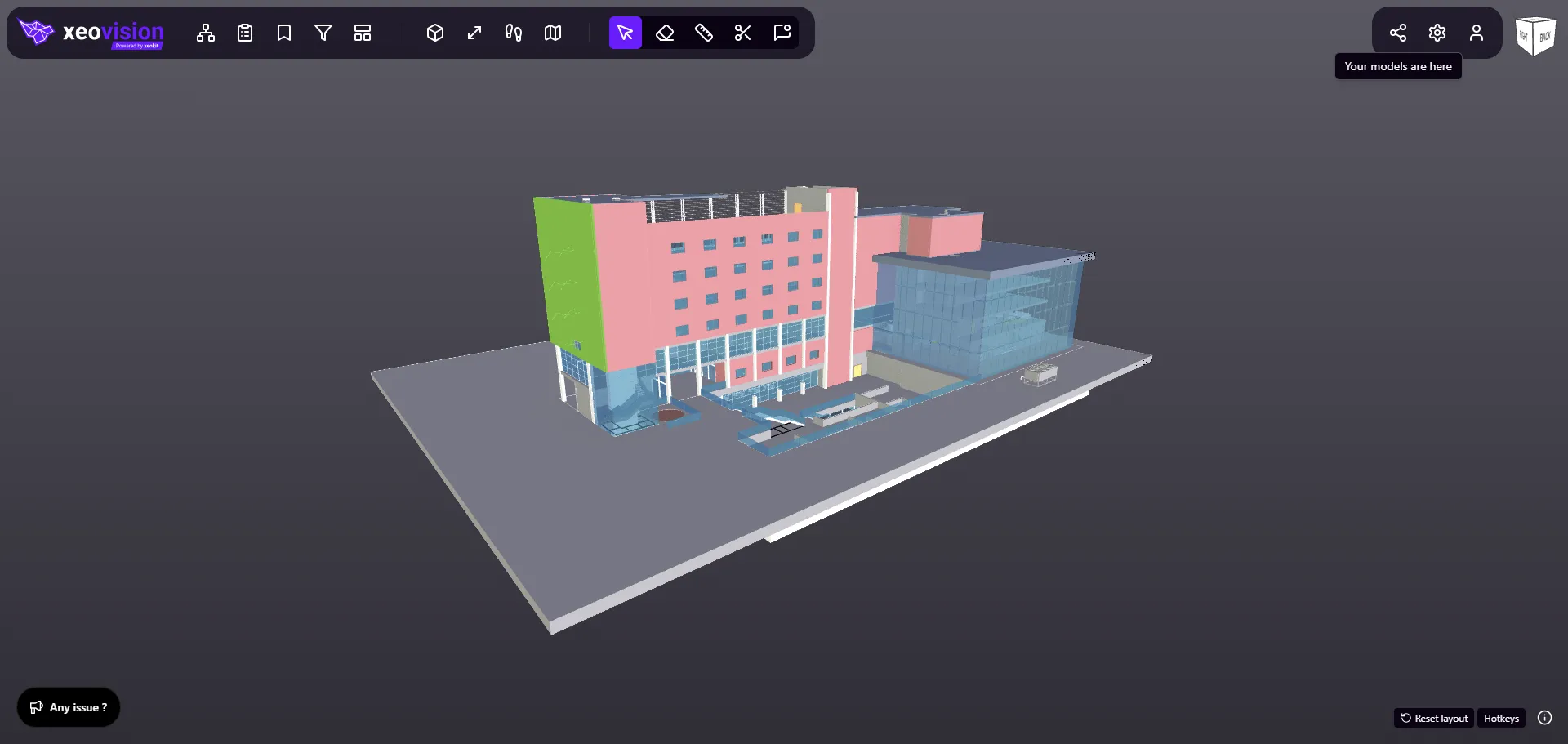
Loads on request, so the page stays fast. Drag to orbit once it opens.
Connect your AI agent to BIM model data from IFC, Revit and more
Connect BIM project information with an AI agent of your choice. Let it work with your model data to support questions, summaries and project workflows.
The agent should be your choice, and the data boundary yours to set. The xeoVision framework doesn’t bundle an AI model: xeokit Data Engine supplies extracted project properties as JSON, and an agreed integration passes the selected data to your chosen agent. You decide what leaves the project, which agent receives it and where inference runs.
Which AI agent can you connect?
The one you select. Because the connection is scoped integration work over open JSON outputs, the choice of agent, the model provider and the place where inference runs all stay your decisions rather than something fixed by the framework.
How do you control what project data reaches the agent?
By defining the scope before the integration is built: which properties and objects leave the project, where they are sent, and where inference runs. Review generated answers against the source model, since the agent works from extracted data rather than from the authoring file.
