BIM software to build your own platform
Build your own BIM viewer, CDE, digital twin or BIM application.
xeoVision combines xeokit SDK & xeokit Data Engine, reusable solution components, and our integration expertise to turn IFC, Revit and other engineering data into practical business workflows, in an environment you control. Build on proven data processing and integration.
Sovereign solutions for critical infrastructure secure BIM, VDC, digital twin and asset management
Try the xeoVision application
Explore a working application built with the framework.
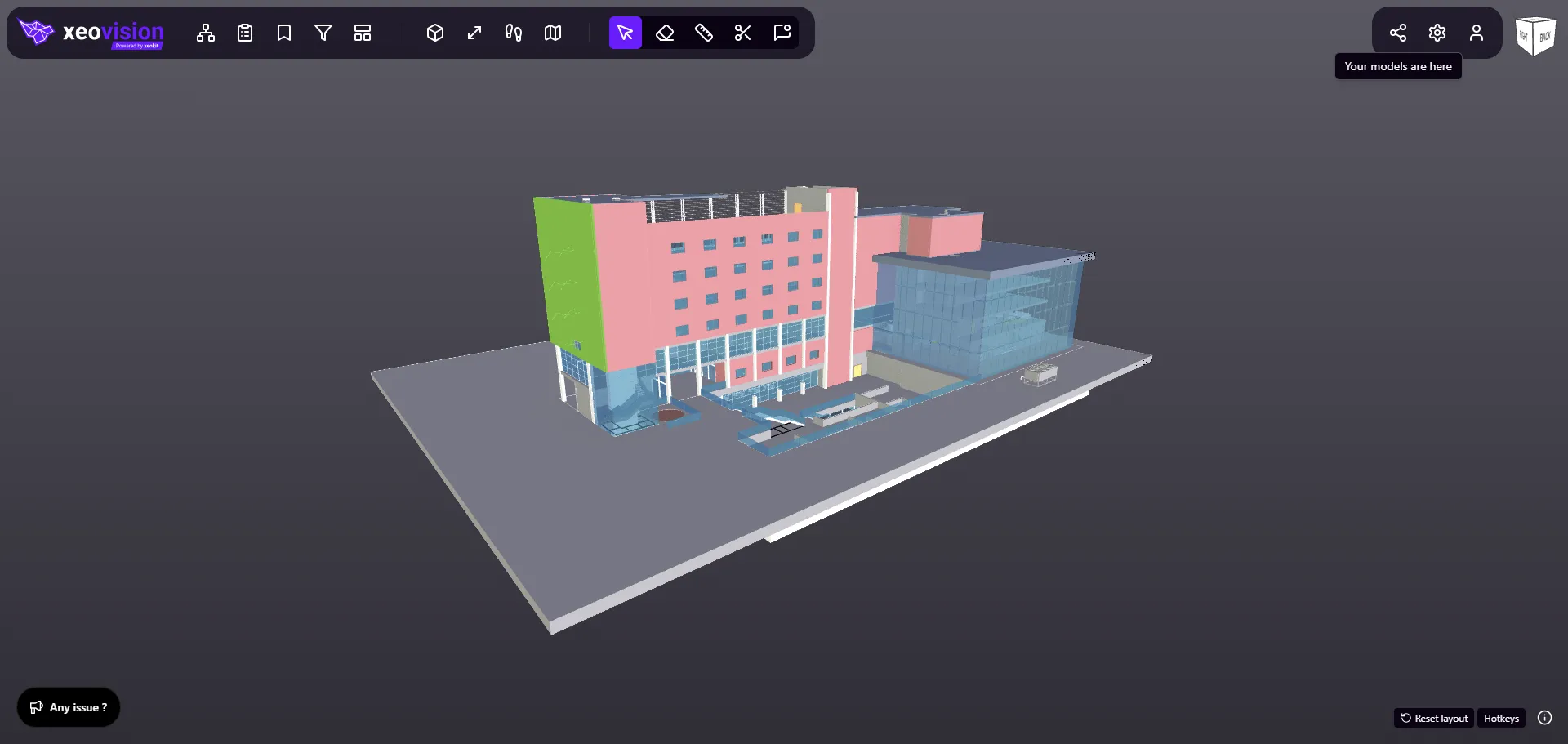
Choose a model to evaluate
IFC, Revit, STEP, point clouds and more
Proven technology
xeokit SDK, the visualization technology powering xeoVision, is used across the industry by organizations including:
- integrators engaged
- 1000+
- implementations worldwide
- 200+
- licensed software vendors
- 60+
- organisations testing
- 100+

































































The underlying technology serves commercial AEC software, public infrastructure platforms, engineering firms and universities across Europe, the Americas, Asia and Australia.
Read the success stories ↗What will you build?
Give teams a shared project view, connect critical infrastructure assets to operations, or bring BIM into your own product. Start from a working application and adapt it to the outcome you need.
BIM & VDC for critical assets
Your data, your environment
Assess proposed works, align project teams and prepare for long-term asset ownership. Connect BIM and VDC workflows for airports, power stations, defense and military assets, and data centers, with sensitive project information under your control.
Explore BIM & VDC for critical infrastructure- Your BIM & VDC workflowsBring models, disciplines and delivery teams into a shared project context.
- Your deployment boundaryBring storage and processing into your own infrastructure.
- Our advice & integrationDefine the components, connections and access requirements together.
-
CDE platform
Build a common data environment that brings project files, models and teams together under your control.
- Organize projects and engineering files
- Review federated models in the browser
- Run the delivery process your organization needs
-
Digital twin
Use 3D models and their data as the visual layer for your asset and operational workflows.
- Bring BIM and point clouds together
- Connect your asset register and maintenance records
- Extend throughout the asset lifecycle
-
BIM Platform
Give your users a fast BIM viewer and multi-format 3D experience inside the product they already pay for.
- Navigate complex engineering models
- Explore geometry and properties in context
- Embed a project view, or integrate the viewer itself
-
Any application, any integration
Connect model objects to the systems your business actually runs on, developed against their APIs and your access policies.
- ERP systems, including SAP
- Project management and delivery tools
- Document management and records
From the files you have to the decisions you need
Bring IFC, Revit and other engineering data. The xeoVision framework processes and visualizes it in an environment you control, and connects each model object to the records your business runs on.
-
1Your files
Bring the information you already have
Models, scans and CAD. No intermediate IFC conversion and no Revit installation needed for RVT and RFA.
All formats & processors → -
2One framework
Processed and visualized where you choose
- xeokit Data EngineReads IFC, RVT/RFA, STEP, NWD, iModel® and RVM → writes open JSON, GLB, XKT
- xeokit SDKInteractive 3D, navigation and properties in the browser
- Foundations + advice & integrationReady application workflows, shaped with our team
-
3Your decision
From a model object to an asset decision
- A
Object in your BIM modelGeometry, properties, equipment ID
- B
Matched by a shared identifierGaps surfaced for review
- C
Asset record & maintenanceAn informed next action
- A
Choose where the whole workflow runs: your server, your data centre or a cloud region you select.
Build your own BIM viewer. Your brand, your infrastructure
Keep control of your data. Deploy the viewer, the processing and the models inside a boundary you define, and keep access to the code your solution depends on.
-
Start from what is ready
Begin with a working BIM viewer, data processing and integration instead of starting from zero.
-
Your infrastructure, your rules
Deploy in your own infrastructure or a dedicated environment. No requirement to send project files to an external conversion service.
-
Your brand, your panels, the same fast viewer
Keep the viewer functions your users rely on. Adapt the ribbon, panels, colours and workflows to the people who use it.
-
Open-source SDK, open file formats
Outputs are JSON, GLB and XKT, formats you can read, store and reuse in ERP, BI and AI workflows.
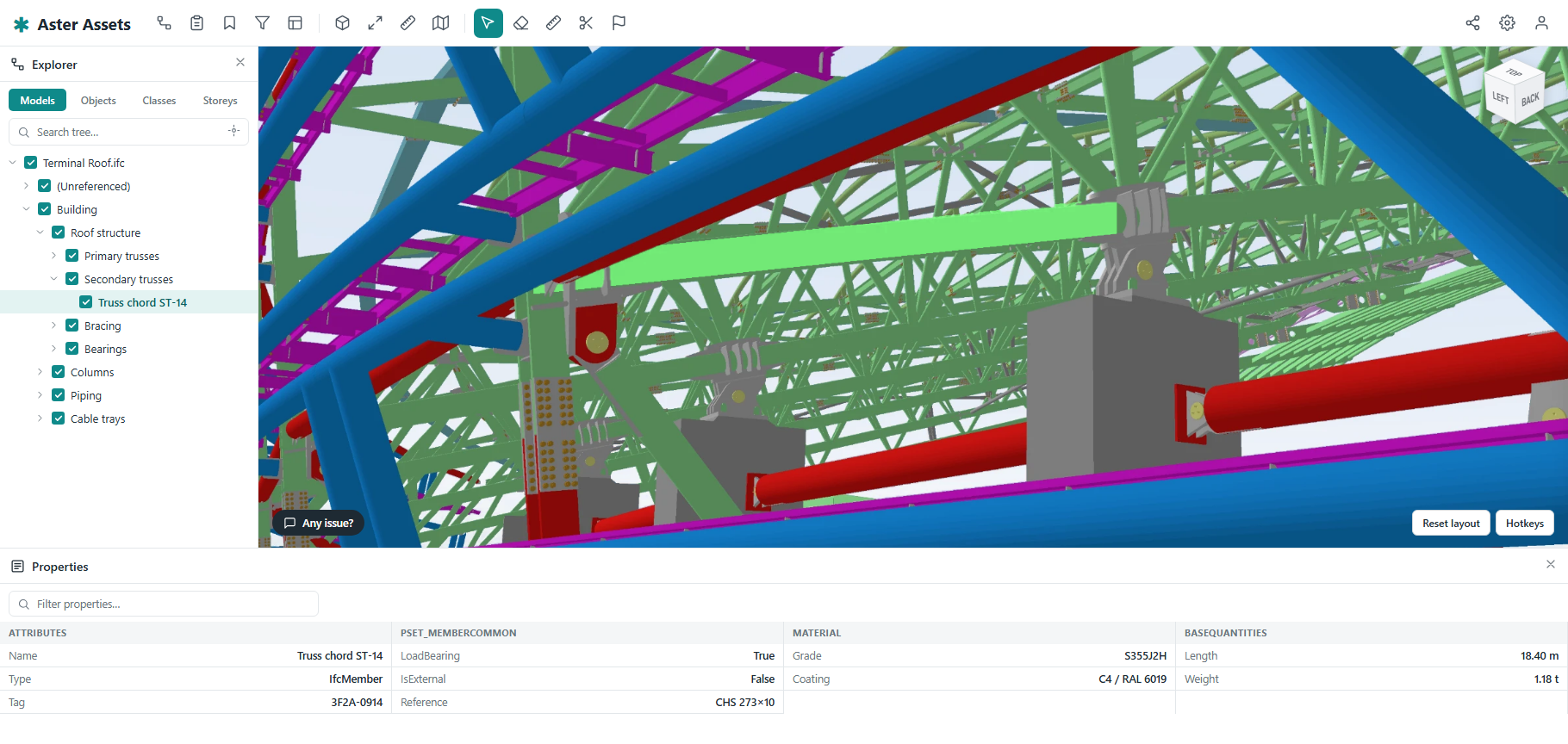
Make the model an asset workspace
Keep the object tree and properties close to the equipment being reviewed. Arrange familiar viewer tools around an asset-focused workflow.
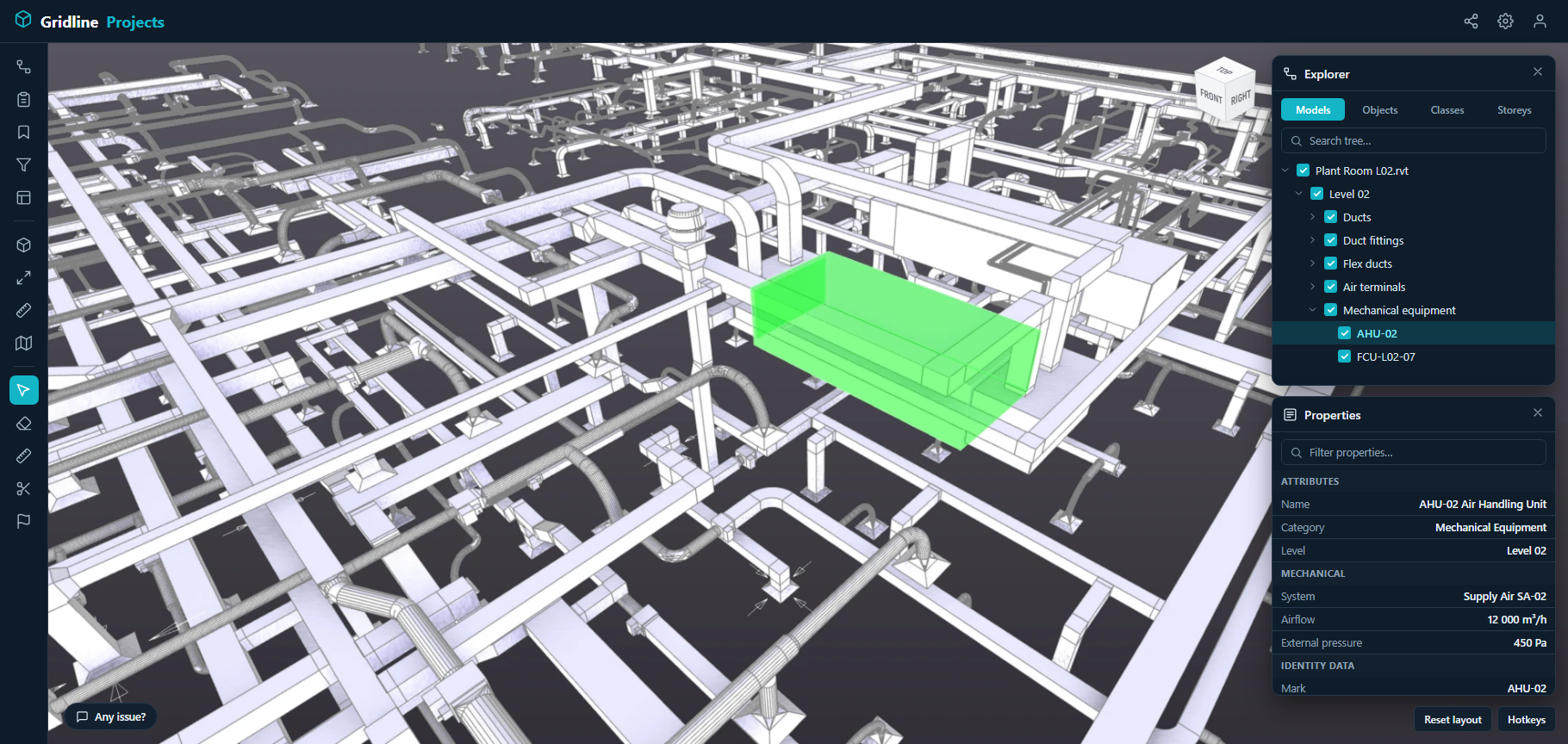
Give complex projects a clear view
Use a vertical ribbon with model exploration, filtering and property inspection in a shared side panel. Retain the existing viewer functions in a distinct identity.
Start with clarity
How do xeoVision and xeokit work together?
xeokit SDK provides the visualization foundation. xeokit Data Engine prepares engineering files and data. The xeoVision framework brings these technologies together with reusable application foundations, additional components, advice and integration services to accelerate your solution.
Can you help us connect the pieces?
Yes. We work with your team or integration partner to define the outcome, choose the relevant components, adapt workflows and connect your existing systems. The implementation and delivery scope is agreed around your project.
Can we deploy it in our own environment?
The application, selected processors and data can be brought into your own infrastructure or a dedicated cloud environment. Closed-network requirements are assessed component by component. Explore deployment options.
Can our team or partner develop it further?
Application source code is available as an add-on to a xeokit SDK licence. The agreement defines the source delivery, included components and development rights, so your team or selected partner can brand, extend and maintain the solution.
Not sure what to build yet? Most of our projects start with one workflow
You don't need a technology plan to get started.
- 1 · Share your business challengeA 30-minute discovery call
- 2 · Build on what is readyAdapt and connect your systems
- 3 · Deploy & evolveIn your environment, with room to grow
